

"Spam as a delivery vehicle" is a row on the Category Settings page that adds a stricter condition to the Spam category. It is not a separate threat category of its own, but rather a filter on the Spam category. Enabling it stops Spam cases from being created unless the same domain already has a phishing, malware, botnet, or pharming report tied to it.
If your account receives a high volume of Spam reports that never turn into real incidents, enabling this filter cuts that noise: a Spam report only opens or joins a case when the domain already shows one of those other, higher-confidence abuse types.
Before you begin
You must have admin access to your iQ Abuse Manager account.
This setting is account-wide and applies to all Spam reports across every zone.
Enable the filter
1. Click Settings in the top navigation.
2. Select Categories.
3. On the Category Settings page, find the Spam as a delivery vehicle row.
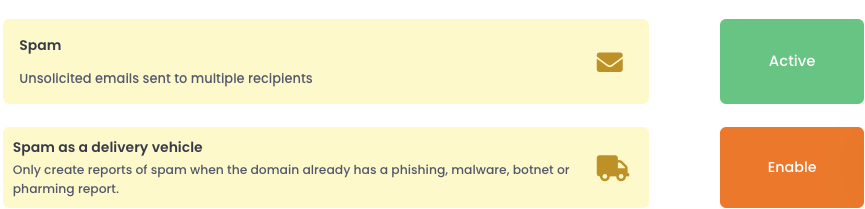
4. Click Enable.
What you should see
The Spam as a delivery vehicle row now shows Disable. The Spam row above it changes from its usual Active toggle to a fixed status of On, conditional: you can no longer enable or disable Spam directly while this mode is on.
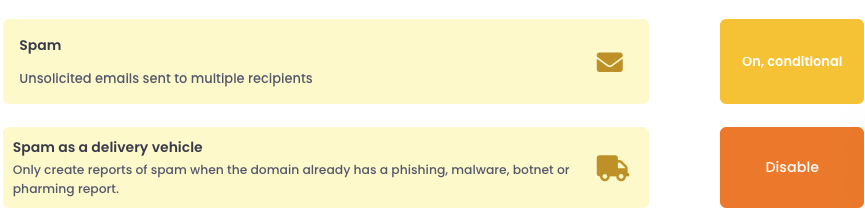
From this point on, a Spam report only creates or joins a case if the domain already has a non-closed case containing a Phishing, Malware, Botnet, or Pharming report. If the domain has no such case, the Spam report is skipped: no Spam case is created for it.
Turn the filter off
Click Disable on the Spam as a delivery vehicle row to turn the mode off.
Warning: Turning this mode off does not restore normal Spam handling. It leaves the Spam category itself disabled, so no Spam cases of any kind are created, conditional or not. If you want Spam reports to create cases normally again, you must also click the Spam row and set it back to Active.