

You can share a direct link to any case in iQ Abuse Manager with a third party, giving them access to the domain's abuse evidence, including threat reports, DNS records, and hosting details. No account required.
Steps
Open the case you want to share.
Click Share in the top-right corner of the case detail view.

The Share Abuse Report modal appears, showing a unique shareable link for this case.
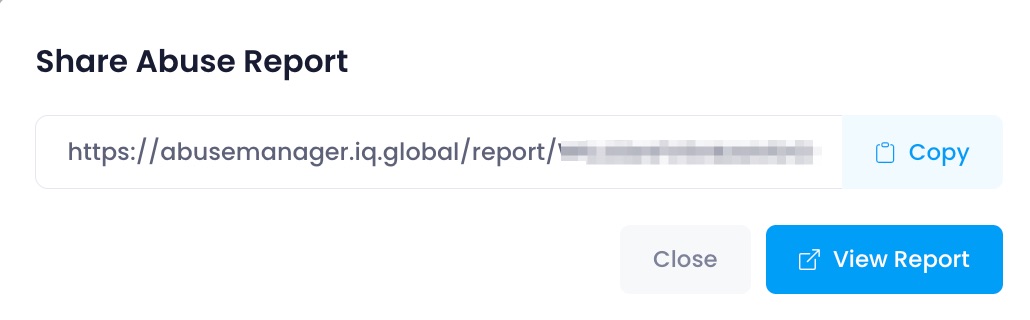
Click Copy to copy the link to your clipboard.
To preview what the recipient will see before sending, click View Report.
Share the link with the third party via email or any other channel.
Note: The link is permanent and does not expire. Anyone with the link can view the report, so only share it with intended recipients.
What the recipient sees
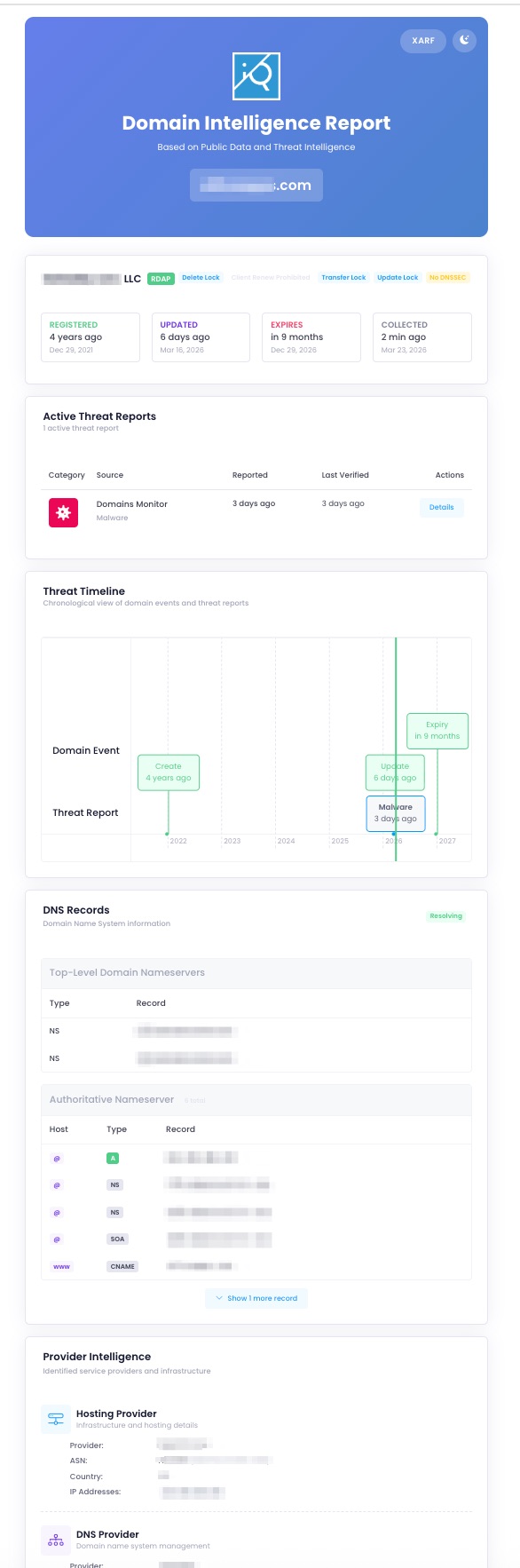
The recipient sees a Domain Intelligence Report containing the abuse evidence for that domain - including active threat reports with categories and sources, a threat timeline, registration details, DNS records, and hosting provider information. No iQ Abuse Manager account is required.
The recipient can also download the report in XARF format using the XARF button in the top-right of the report.
Related articles
Sharing Reports Externally - share multiple cases or an ongoing filtered report with a third party