

If you don't have your own SMTP server, Abuse Manager provides a shared mail service you can use to send case notification emails. You provide a sender name and email address and Abuse Manager handles the rest.
Before you begin
You must have Admin access to your Abuse Manager account.
You will need to add a DNS TXT record to your sender email domain after completing the setup. Have access to your domain's DNS settings ready.
Steps
1. Click Settings in the main navigation.
2. Click Email.
3. Scroll to the Abuse Manager SMTP section.
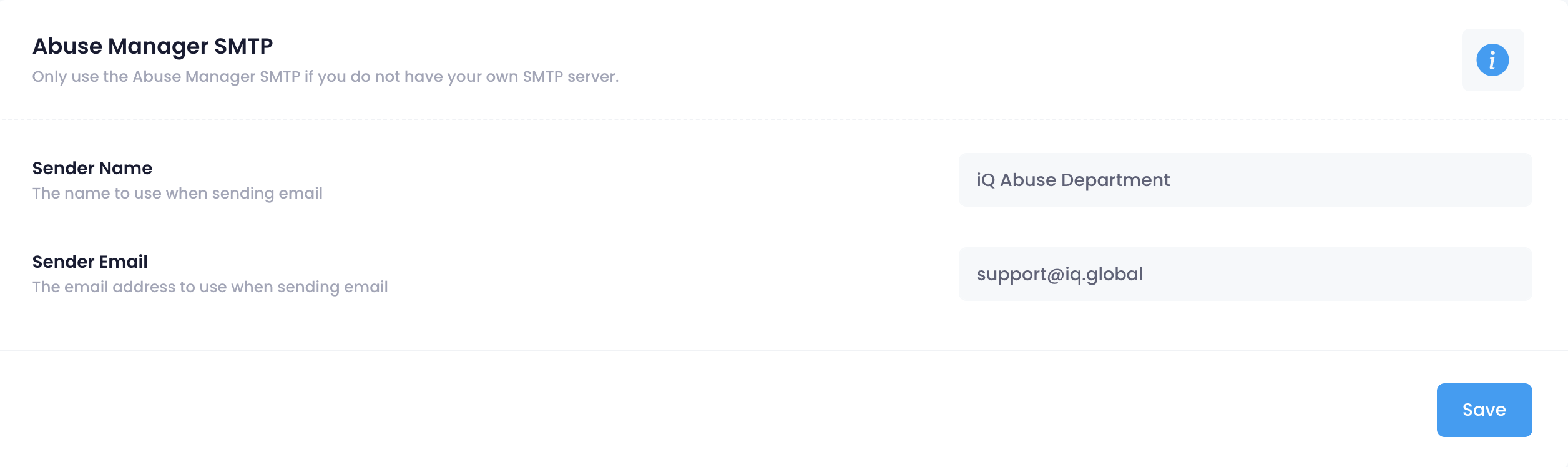
4. Enter your sender details:
- Sender Name — the name that will appear as the sender on outgoing emails (for example, "Abuse Department" or your organisation name).
- Sender Email — the email address that will appear as the sender. Use an address from a domain you control.
5. Click Save.
Add the required DNS record
Because your emails are sent through Abuse Manager's infrastructure (powered by Mailgun), you need to add an SPF record to the DNS of your sender email domain. This tells receiving mail servers that Mailgun is authorised to send on your behalf and prevents your emails from being flagged as spam.
Add the following TXT record to the DNS of the domain used in your Sender Email:
JavaScriptv=spf1 include:mailgun.org ~all
Example: If your Sender Email is abuse@example.com, add the TXT record to the DNS settings for example.com.
Note: If your domain already has an SPF record, you should merge this entry rather than creating a second TXT record. Contact your DNS provider if you need help.
What you should see
Once saved, Abuse Manager will use your specified sender name and email address when sending case notification emails. Emails are routed through Abuse Manager's mail infrastructure.