

The Spamhaus Domain Intelligence panel shows Spamhaus's own reputation data for a flagged domain: a reputation score, whether the domain is a compromised legitimate site rather than one registered for abuse, when it was last seen, and the flagged URL.
Where to find it
Open a case and scroll to Threat Reports. Find a report row where the Threat Intelligence Feed is Spamhaus, then click Details.
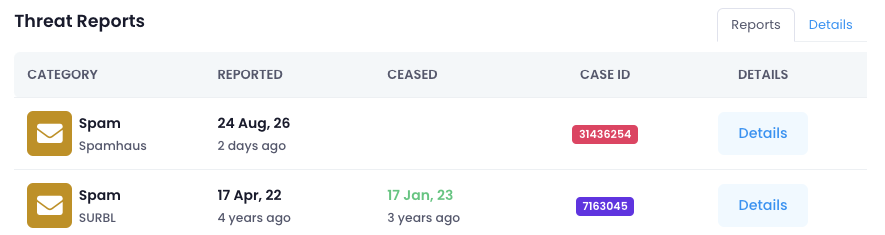
The Spamhaus Domain Intelligence panel appears inside that report's details, below Category, Threat Intelligence Feed, and Domain. It only appears on reports sourced from Spamhaus. A report from another feed on the same case, such as SURBL, won't show it.
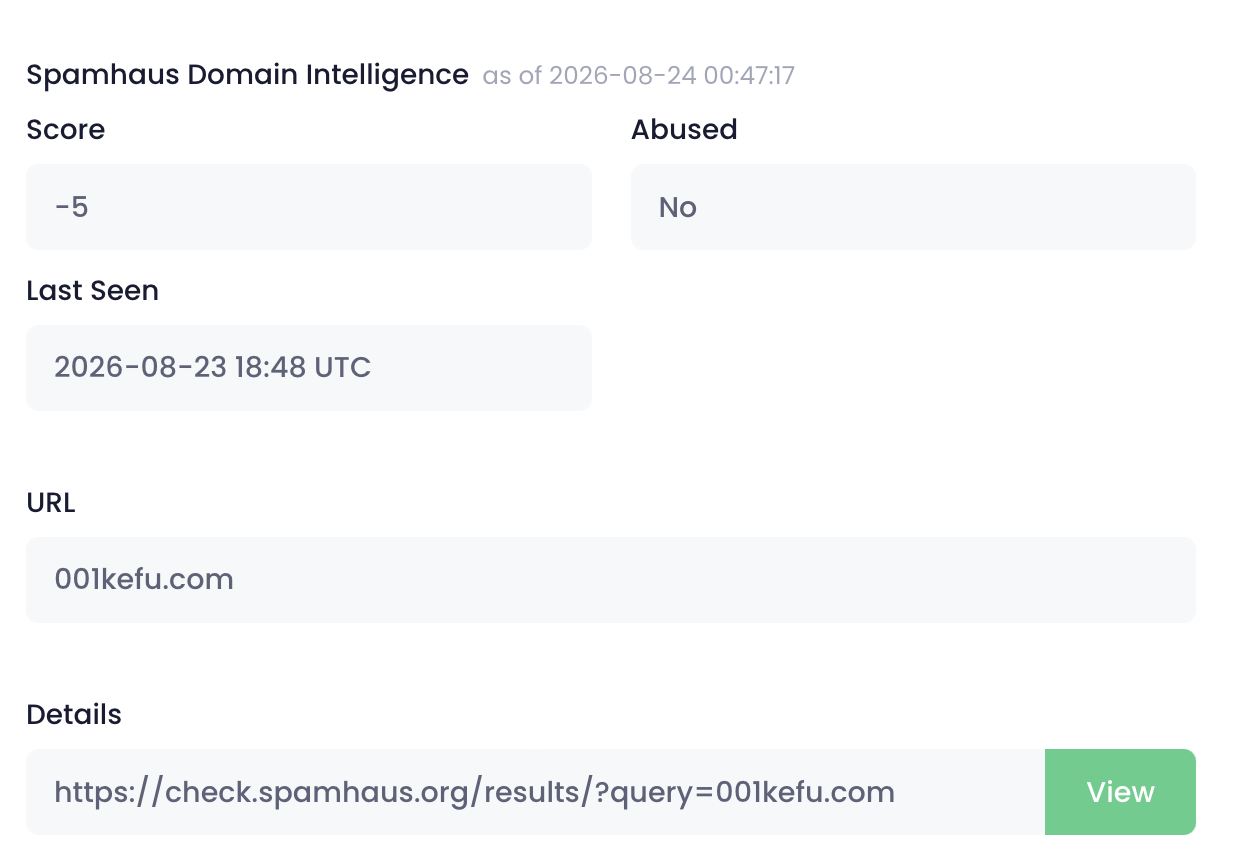
What each field means
Score
A reputation score, typically ranging from about -50 to 50. Zero is neutral. Negative numbers signal a poor reputation and positive numbers a good one; there's no fixed limit, but a score near -50 or 50 indicates a very strong signal in that direction. Spamhaus calculates this from multiple factors, including its honeypots, spam traps, and industry data-sharing partners. For more on how Spamhaus's reputation score works, see Spamhaus's Intelligence API FAQ.
Abused
Yes or No. A Yes means Spamhaus considers this a legitimate domain that has been compromised by a third party, rather than one registered by a bad actor. This distinction matters for how you handle the case: a compromised domain usually means notifying the domain owner to clean up their site, while a domain registered for abuse points toward the registrant directly.
Last Seen
The timestamp of the most recent activity Spamhaus observed for this domain.
URL
The specific URL Spamhaus flagged. This may be the bare domain or a more specific path, depending on what Spamhaus observed.
Details
A link to Spamhaus's own public domain checker, at check.spamhaus.org. Click View to open Spamhaus's full results for the domain in a new page.
Not to be confused with
iQ Abuse Manager has a few other features that use similar "Domain Intelligence" naming:
iQ Risk Score's Domain Intelligence panel: a separate panel that appears on reports from the iQ Risk Score feed, showing a Risk Score verdict rather than Spamhaus data. See Understanding Risk Score.
The case's Domain Intelligence section: a separate area on the case itself covering Domain Intelligence Platform data, unrelated to either feed-specific panel above.
The shared Domain Intelligence Report: the report a case generates when you share it with someone outside your organization. Unrelated to the panels described here. See How do I send a case link to someone outside my organisation?