

Email Delivery Settings let you automatically add a CC or BCC recipient to every case notification email sent from your account. You can also configure where admin emails are directed.
These settings are found under Settings → Email → Email Delivery Settings.
Before you begin
You must have Admin access to your Abuse Manager account.
Your SMTP server must already be configured before outgoing emails can be sent. See What email sending options are available in Abuse Manager?
Steps
Click Settings in the main navigation.
Click Email.
Scroll to the Email Delivery Settings section.
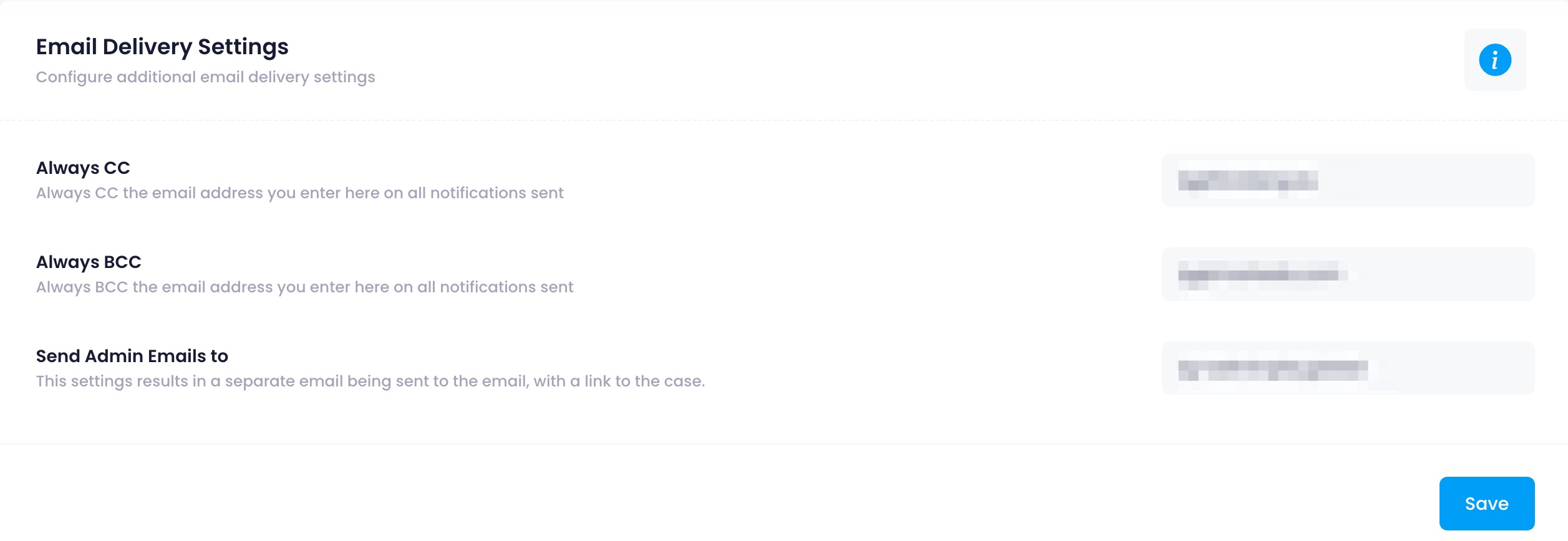
4. Fill in the fields you want to use (all are optional):
Always CC: an email address to CC on every outgoing case notification email. Useful for compliance, archiving, or keeping a shared mailbox informed.
Always BCC: an email address to BCC on every outgoing case notification email. The recipient receives a copy of each email without other recipients being aware.
Send Admin Emails to: an address that receives a separate email with a direct link to the case whenever a notification is triggered. Useful for routing case alerts to a ticketing system or an on-call inbox.
5. Click Save.
What you should see
The addresses you entered are applied to all subsequent outgoing case notification emails. Existing emails already sent are not affected.